
Running a business often means managing several different areas at once, from customer relationships and sales to accounting, marketing, employee management, communication, and project work. Zoho is a business software ecosystem designed to bring many of these functions together through a large collection of applications.
Instead of relying on completely separate tools for every department, businesses can use individual Zoho applications or choose broader solutions such as Zoho One. The platform covers areas including sales, marketing, customer support, finance, HR, collaboration, productivity, and business operations.
But with such a large product range, is Zoho worth using? This Zoho review looks at its main tools, business features, integrations, ease of use, advantages, disadvantages, and the types of businesses that may benefit from the platform.
About Zoho
Zoho is a business software company offering applications for different organizational needs. Its product ecosystem includes tools for CRM, accounting, email, project management, customer support, marketing, HR, communication, file management, analytics, and more.
One of its broader offerings, Zoho One, brings more than 45 business applications into one system. These applications are designed to work across departments, allowing businesses to manage areas such as sales, marketing, finance, HR, support, eCommerce, and operations.
Businesses do not necessarily need to use the entire ecosystem at once. Zoho’s own getting-started guidance recommends identifying a priority business area first and then expanding into additional applications as needed.
Zoho CRM
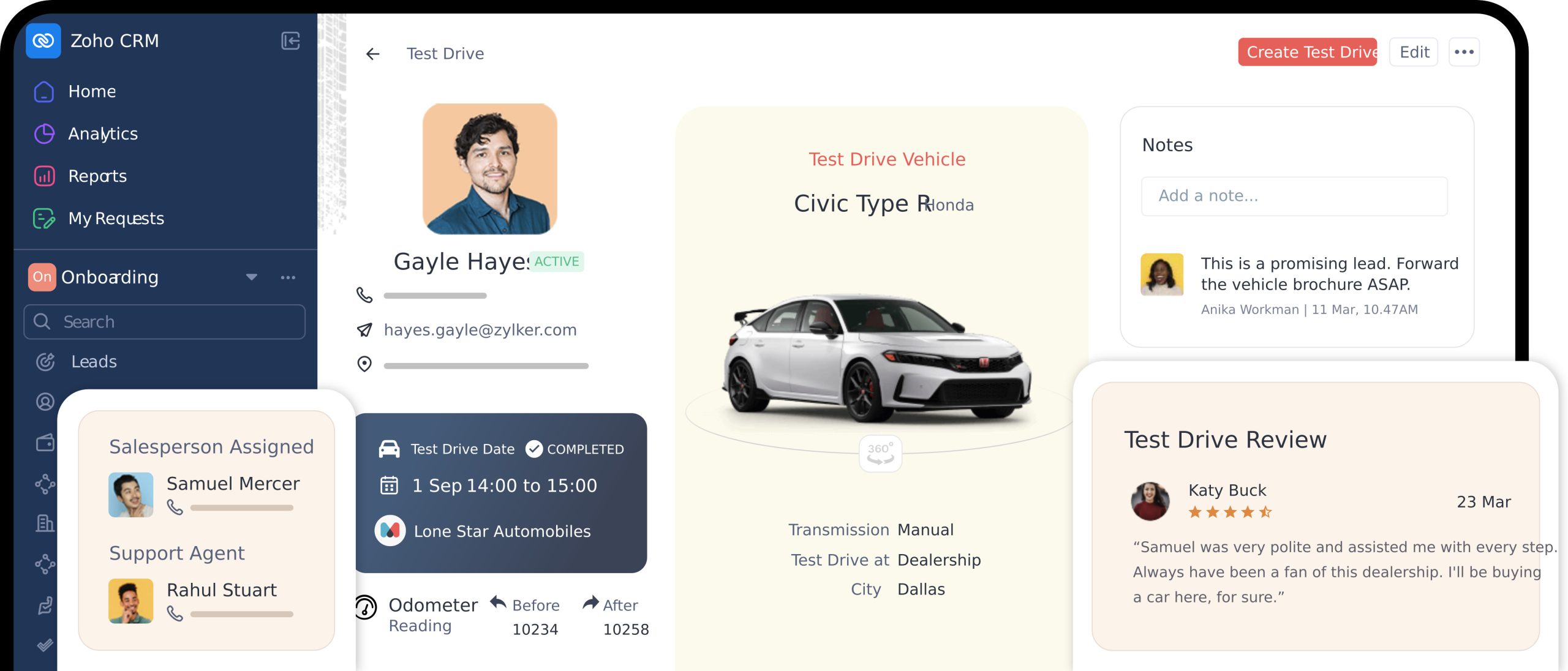
Zoho CRM is one of the company’s best-known business applications. It is designed to help businesses manage customer and prospect information, sales opportunities, customer interactions, marketing activities, and reporting.
The CRM can be used to keep customer information centralized instead of spreading contacts, sales details, and communication across separate spreadsheets or systems. It also supports workflows, automation, analytics, mobile access, and customization.
For businesses with sales teams, having customer information and deal activity in one place can make it easier to follow prospects through different stages of the sales process.
Zoho CRM also includes customization options such as Canvas, which allows businesses to change the presentation of CRM information, while its CommandCenter feature is designed around customer journey orchestration.
Zoho One
Zoho One is the company’s broader all-in-one business suite. Rather than focusing on one department, it combines applications covering multiple parts of an organization.
The suite includes tools for:
- Sales and CRM
- Marketing
- Customer support
- Finance and accounting
- Human resources
- Project management
- Communication
- Collaboration
- Productivity
- eCommerce
- Business operations
This makes Zoho One particularly relevant for companies that want multiple business functions connected through one ecosystem rather than purchasing and managing numerous unrelated platforms.
Finance and Accounting Tools
Zoho also offers applications for managing financial operations. Its finance ecosystem includes tools such as Zoho Books, Zoho Billing, Zoho Invoice, Zoho Expense, and Zoho Inventory.
These tools can cover different financial and operational requirements, including accounting, billing, invoices, expenses, and inventory management.
The integration between Zoho applications can also connect information between departments. For example, Zoho documents an integration between CRM and Books that can allow customer information, sales details, receivables, and transactions to be connected between the two applications.
Marketing and Customer Support
Zoho’s ecosystem extends beyond sales and accounting. Marketing applications include tools for email campaigns, marketing automation, social media, surveys, forms, websites, landing pages, and visitor engagement.
For customer service, Zoho offers tools such as Zoho Desk, Assist, and SalesIQ. These are designed to help businesses manage customer support requests, remote assistance, and website interactions.
This broad range can be useful for businesses that want their customer-facing teams to work within a connected ecosystem.
Communication and Collaboration
Zoho also provides tools for internal communication and teamwork. Its ecosystem includes Zoho Mail for business email, Cliq for team messaging, WorkDrive for file management, Meeting for online meetings, Writer for documents, Sheet for spreadsheets, Show for presentations, and Notebook for note-taking.
Having these tools available within the same wider ecosystem can reduce the need to switch between unrelated services for everyday business tasks.
Integrations and Automation
A major part of Zoho’s business approach is connecting its applications so information can move between different functions.
For example, CRM and Books can be integrated so customer and accounting information can be accessed across both applications. Zoho also provides tools for automation and custom workflows, allowing businesses to build processes around their particular requirements.
Zoho One also supports integrations with third-party applications and provides customization capabilities for businesses that need workflows beyond the standard setup.
For growing organizations, this flexibility can be useful because the software environment can expand as additional departments or processes need to be brought into the system.
Ease of Use

Zoho offers a large number of applications, which is both one of its main strengths and something new users need to consider.
A business using only one application, such as CRM, can focus on learning that particular system. A company adopting Zoho One, however, may have to configure users, permissions, applications, workflows, integrations, and business processes across a much larger environment.
Zoho’s own setup guidance recommends starting with one priority business area instead of attempting to configure everything at once. Businesses can begin with areas such as sales, finance, support, HR, or collaboration and gradually add more applications.
This approach can make adoption more manageable for teams that are new to the ecosystem.
Security and Business Reliability
Security and reliability are important considerations when business applications contain customer, financial, employee, and operational information.
Zoho states that Zoho One uses TLS 1.2/1.3 encryption for connections to its servers and reports 99.9% uptime. It also provides centralized administration and access controls for business users.
Specific security and compliance requirements can vary depending on the application and business environment, so companies with particular regulatory requirements should review the relevant documentation before implementation.
Pros and Cons of Zoho
Pros
- Large ecosystem of business applications
- CRM, finance, HR, marketing, support, and collaboration tools
- Zoho One connects 45+ applications in one broader suite
- Applications can work together across departments
- Strong customization and automation options
- Third-party integrations are supported
- Mobile access is available for important business functions
- Businesses can start with individual applications and expand gradually
Cons
- The large number of applications can take time to learn
- Initial setup may require planning and configuration
- Businesses using several applications may need more administration
- Choosing between individual Zoho products and larger bundles can require careful evaluation
- Some advanced capabilities depend on the specific product or plan
Who Is Zoho For?
Zoho can be relevant to a wide range of businesses because its ecosystem covers multiple business functions.
Small businesses may use individual applications for CRM, accounting, email, projects, or customer support. Growing companies can add additional applications as their requirements expand.
Larger organizations may be interested in Zoho One because it brings sales, marketing, finance, HR, operations, support, communication, and collaboration tools into a broader business environment.
The most suitable approach depends on how many business functions need software support and whether a company wants a connected ecosystem rather than separate standalone services.
Is Zoho Worth It?

Zoho can be worth considering for businesses that want access to a broad collection of business software without having to source every function from a different provider.
Its biggest feature is the breadth of its ecosystem. Businesses can use CRM for sales, Books for accounting, Desk for support, Mail and Cliq for communication, Projects for project management, and numerous other applications for specific requirements.
Zoho One expands this approach by bringing 45+ applications together, along with centralized administration, integrations, and customization options.
However, the same breadth means businesses should avoid adopting more applications than they actually need. Starting with a specific business function and expanding gradually can make the implementation easier to manage.
Final Thoughts
Zoho is more than a single business application. It is an extensive ecosystem covering customer management, sales, marketing, finance, HR, communication, collaboration, support, productivity, and operations.
Its individual applications can be used independently, while Zoho One provides a broader way to connect multiple business functions through one platform. The combination of integrations, customization, automation, and a wide selection of applications gives businesses considerable flexibility.
The main consideration is the size of the ecosystem itself. Companies should identify their actual requirements, start with the applications that solve their most important problems, and expand only when additional tools are useful.
For businesses looking for a broad software ecosystem that can support multiple departments as they grow, Zoho provides a substantial range of tools to explore.