
Landing pages can make a major difference in digital marketing campaigns, especially when businesses are trying to turn paid traffic into leads, signups, or sales. Unbounce is a landing page and conversion optimization platform designed to help marketers build, test, and improve landing pages without relying heavily on developers.
The platform combines a drag-and-drop landing page builder with A/B testing, AI-powered optimization, AI copywriting, popups, sticky bars, integrations, and reporting tools. Its Smart Traffic feature can also automatically route visitors toward different page variants based on visitor characteristics and conversion behavior.
But with several landing page builders and marketing platforms available today, is Unbounce worth using? Let’s take a closer look.
About Unbounce
Unbounce is built primarily for marketers who want more control over landing pages and conversion experiments. The platform allows users to create desktop and mobile landing pages using a drag-and-drop editor without writing code.
It offers more than 100 landing page templates, custom scripts, page duplication, custom mobile pages, direct domain publishing, and other tools designed to speed up campaign creation.
Rather than simply creating a page and publishing it, Unbounce puts considerable emphasis on testing and optimization. Users can create multiple page variants, run experiments, review results, and use AI-based tools to improve how visitors are routed.
What Does Unbounce Offer?
Unbounce combines several marketing functions into one platform, with landing page creation and conversion optimization at its center.
Landing Page Builder
The drag-and-drop builder allows marketers to create landing pages without needing to write code. Users can add, remove, move, and customize elements directly within the editor.
The platform provides more than 100 templates, while users can also build pages from scratch. Custom JavaScript, CSS, and HTML can be added when more advanced customization is required.
Unbounce also allows marketers to control the mobile version of their landing pages separately. This can be useful when a campaign receives significant traffic from smartphones.
Another useful feature is page duplication. Once a campaign structure has been created, marketers can duplicate an existing page and modify it for another campaign rather than starting over.
A/B Testing
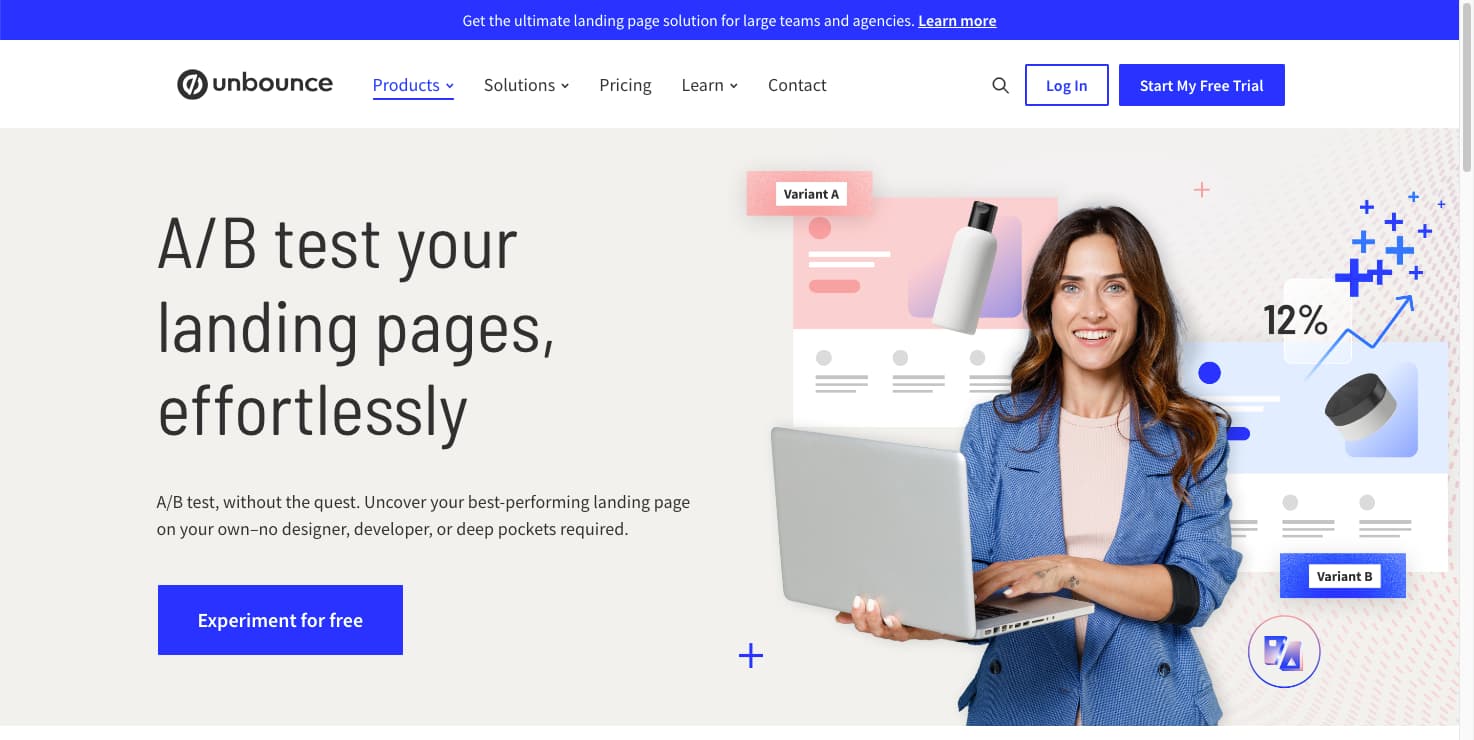
Testing different landing page versions is a major part of Unbounce.
The platform lets users create multiple variants of a landing page and compare their performance. Marketers can test changes to headlines, images, layouts, calls to action, forms, messaging, and other page elements.
Unbounce’s A/B testing tools are designed to be used without code. Traffic can also be manually allocated between different variants, allowing marketers to control how visitors are distributed during an experiment.
This makes the platform useful for businesses that want to make decisions based on landing page performance rather than relying entirely on assumptions.
Smart Traffic AI Optimization
Smart Traffic is one of Unbounce’s main optimization features.
Instead of sending every visitor to the same landing page variant, Smart Traffic uses an AI-powered algorithm to determine which version a visitor is more likely to convert on. It considers visitor attributes such as location and device and continues learning as more visitors interact with the variants.
Unbounce states that Smart Traffic can begin optimizing after the initial learning period and can route visitors automatically based on the information it gathers. Current documentation says the learning process begins once the page receives visitors and that additional variants require additional learning traffic.
This gives marketers another option beyond traditional A/B testing, particularly when different audiences respond differently to landing page designs or messaging.
AI Copywriting
Unbounce also includes AI copywriting directly inside its landing page builder.
The AI writing tools can rewrite, expand, and summarize existing landing page copy. Marketers can create alternative versions of their messaging and use them when refining or testing landing pages.
This can save time when a campaign needs multiple headline or copy variations.
It is worth noting that Unbounce discontinued its standalone Smart Copy application in January 2026. However, AI copywriting functionality remains available inside the landing page builder for customers using the relevant platform.
Popups and Sticky Bars
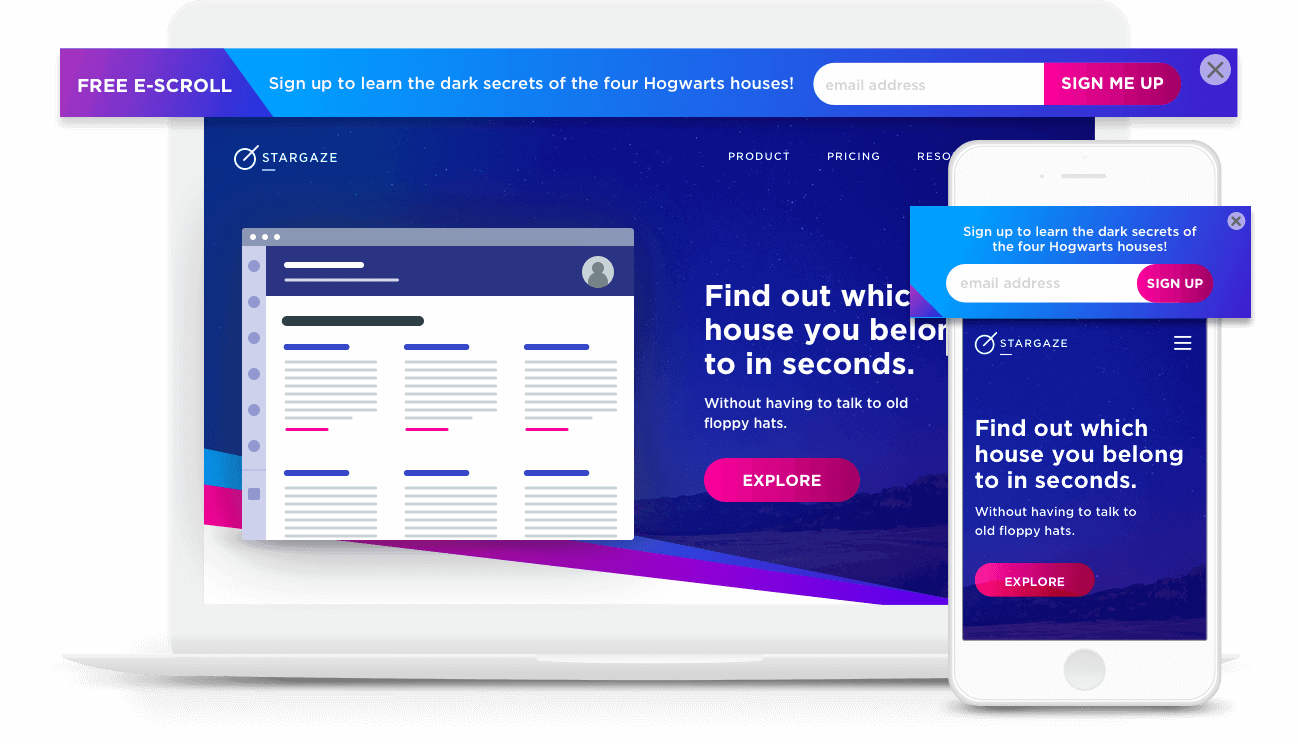
Unbounce isn’t limited to traditional landing pages.
The platform also provides popups and sticky bars that can be used to capture attention or encourage visitors to take an action. These elements can be incorporated into marketing campaigns alongside landing pages.
Unbounce also supports targeting options for popups and sticky bars, including cookie-based targeting based on visitor history, conversion status, and previous actions.
This can give marketers another way to interact with visitors without creating a completely separate landing page for every campaign.
Integrations
Unbounce can connect with other marketing and business tools.
The platform supports integrations with services such as Salesforce and HubSpot, while Zapier and webhooks provide additional ways to connect landing page data with other systems.
This is useful for businesses that already have a marketing stack in place and want leads collected through landing pages to move into CRM or other workflows.
Unbounce Pricing
Unbounce currently offers several pricing levels.
The Starter plan is listed at $29 per month with monthly billing and includes five landing pages, up to 500 monthly unique visitors, one user, and one root domain.
The Build plan is listed at $99 per month, while Experiment is $149 per month and Optimize is $249 per month with monthly billing. Higher plans provide additional landing pages, visitors, users, domains, and experimentation or optimization capabilities.
Unbounce also offers annual billing at lower effective monthly rates. The available features and visitor limits vary between plans, so businesses should compare their expected traffic and required features before choosing a subscription.
The platform also offers a free trial, allowing users to test the service before committing to a paid plan.
Pros and Cons of Unbounce
Pros
- Drag-and-drop landing page builder
- More than 100 landing page templates
- No-code A/B testing
- AI-powered Smart Traffic optimization
- AI copywriting built into the editor
- Mobile-specific page customization
- Popups and sticky bars
- Custom JavaScript, CSS, and HTML support
- Integrations with popular marketing platforms
- Custom domain publishing
- Free trial available
Cons
- Pricing can become expensive for businesses with larger traffic requirements
- Advanced optimization features are available on higher plans
- The platform is primarily focused on landing pages and conversion optimization
- Beginners may need time to understand testing and optimization features
- Visitor limits vary by subscription level
Who Is Unbounce Best For?
Unbounce can be useful for digital marketers, agencies, advertisers, lead-generation businesses, ecommerce companies, SaaS businesses, and teams running paid advertising campaigns.
It is particularly relevant for businesses that want to create dedicated landing pages instead of sending every advertising visitor to a general website page.
Marketing teams that frequently run campaigns can also benefit from the ability to duplicate pages, create variants, run experiments, and use AI optimization.
Smaller businesses can start with the lower-tier plans, while agencies and larger marketing teams can choose plans with higher visitor limits and additional users and domains.
Is Unbounce Worth It?
Unbounce is more than a simple landing page builder. Its combination of page creation, experimentation, AI copywriting, Smart Traffic, popups, sticky bars, and integrations makes it a platform focused specifically on conversion-oriented marketing.
The drag-and-drop editor makes it possible to build pages without depending entirely on developers, while A/B testing gives marketers a way to compare different versions. Smart Traffic adds another layer by automatically routing visitors toward variants based on visitor characteristics and performance data.
The main consideration is cost. Businesses with significant traffic or teams that need advanced optimization features may need to move beyond the entry-level plan.
For marketers who regularly create landing pages and want built-in tools for testing and conversion optimization, Unbounce offers a focused set of features.
Final Verdict
Unbounce is designed around a straightforward goal: helping marketers build landing pages, test different versions, and improve conversion performance.
Its drag-and-drop builder, templates, A/B testing, Smart Traffic, AI copywriting, popups, sticky bars, and integrations provide a broad toolkit for campaign-focused marketing.
The pricing and visitor limits are important factors to consider, particularly for businesses running high-volume campaigns. However, teams that rely heavily on landing pages and conversion experiments may find the platform’s specialized features useful.
For businesses and marketers looking for a dedicated landing page and conversion optimization platform, Unbounce is worth considering.