
Managing projects, documents, software development, customer support, and team communication can become complicated when every department uses a different set of tools. Atlassian takes a connected approach by offering a collection of business and collaboration apps designed to help teams organize work and keep information connected.
Its ecosystem includes well-known tools such as Jira, Confluence, Jira Service Management, Loom, Trello, Bitbucket, and Rovo. These apps cover areas ranging from project management and documentation to software development, IT service management, video communication, and AI-powered search and automation.
But with so many apps available, is Atlassian worth using for modern teams? Here’s a closer look at what the platform offers.
About Atlassian

Atlassian is a software company focused on tools for teams and organizations. Rather than providing just one application, it offers a broader ecosystem where different apps can be used individually or together.
Jira is designed for planning, tracking, and delivering work, while Confluence provides a central place for documents, knowledge, project information, and collaboration. Jira Service Management focuses on service operations, while Loom supports asynchronous video communication. Rovo adds AI-powered search, chat, and agents across the Atlassian environment.
The company also offers collections that combine multiple apps. Its Teamwork Collection, for example, brings together Jira, Confluence, Loom, and Rovo.
What Does Atlassian Offer?
Atlassian’s ecosystem covers several major areas of business and team collaboration.
Jira
Jira is one of Atlassian’s central apps for project and work management. It can be used to plan, track, and manage work across teams.
Jira supports workflows, permissions, automation, project planning, and collaboration. Its current cloud plans also include Rovo Search, Chat, and Agents with AI-powered work features on paid tiers.
The Free plan supports up to 10 users with 2GB of storage, while Standard and Premium plans provide additional automation, storage, support, and planning capabilities.
For software teams, product teams, and other departments managing multiple tasks and projects, Jira can act as a central workspace for tracking work from planning through completion.
Confluence
Confluence focuses on documentation and knowledge management.
Teams can create pages, organize information into spaces, build project documentation, maintain meeting notes, create policies, and use templates for different business activities.
Confluence also includes databases and whiteboards, giving teams additional ways to organize and visualize information. Its Free plan supports up to 10 users and includes 2GB of storage.
Confluence becomes particularly useful when teams need a central place where employees can find company information rather than searching through disconnected documents and messages.
Jira Service Management
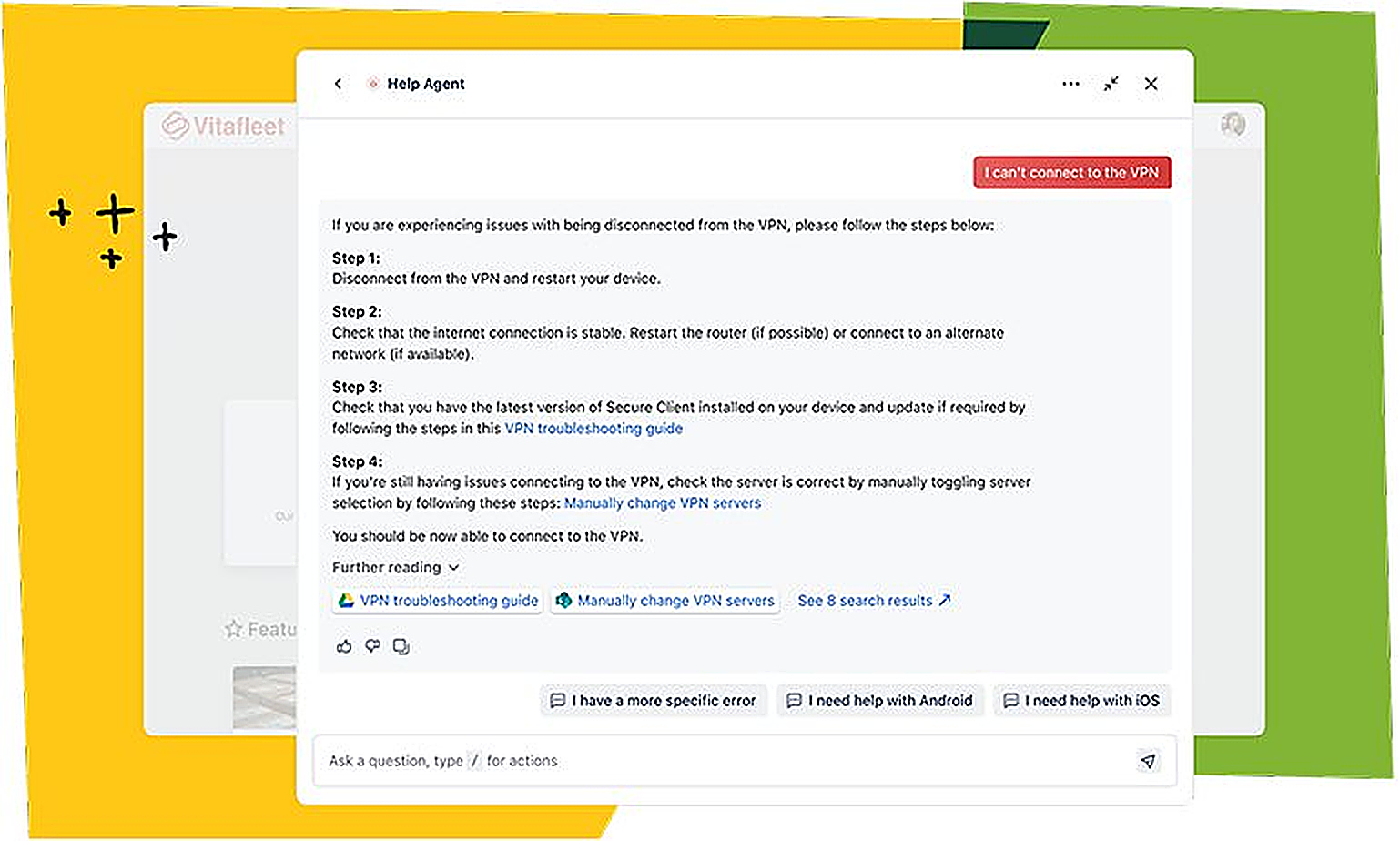
Jira Service Management is designed for service teams and organizations managing IT and operational requests.
It connects development and operations teams and provides tools for managing service workflows. Atlassian also positions it as part of its broader service ecosystem, which includes customer service and asset management capabilities.
This makes it relevant for organizations that need structured processes for handling internal or external service requests.
Loom for Video Communication
Loom adds video communication to the Atlassian ecosystem.
Instead of arranging another meeting for every explanation, team members can record and share video messages. Loom can also be used directly within Jira and Confluence, allowing videos to be attached to work items, pages, updates, descriptions, and comments.
Atlassian has also introduced AI workflows connecting Loom recordings with Jira work. These workflows can help turn meeting discussions and bug reports into actionable work items.
For distributed teams, this type of asynchronous communication can provide another way to explain tasks, share updates, and document discussions.
Rovo and AI Features
Rovo is Atlassian’s AI-powered layer for search, chat, and agents.
The platform is designed to help teams find information, interact with company knowledge, and build AI-powered workflows. Atlassian also includes Rovo features within paid Jira and Confluence plans.
The integration of AI into project management and documentation means teams can use their existing work information as part of AI-assisted workflows instead of relying only on separate AI tools.
Trello and Bitbucket
Atlassian’s ecosystem also includes Trello and Bitbucket.
Trello provides a visual way to organize projects and tasks through boards, while Bitbucket focuses on code collaboration, repositories, pull requests, and software development workflows.
This broader collection means Atlassian can support different working styles. Some teams may prefer visual boards, while development teams may require repositories and code-focused collaboration.
Integrations and Connected Work
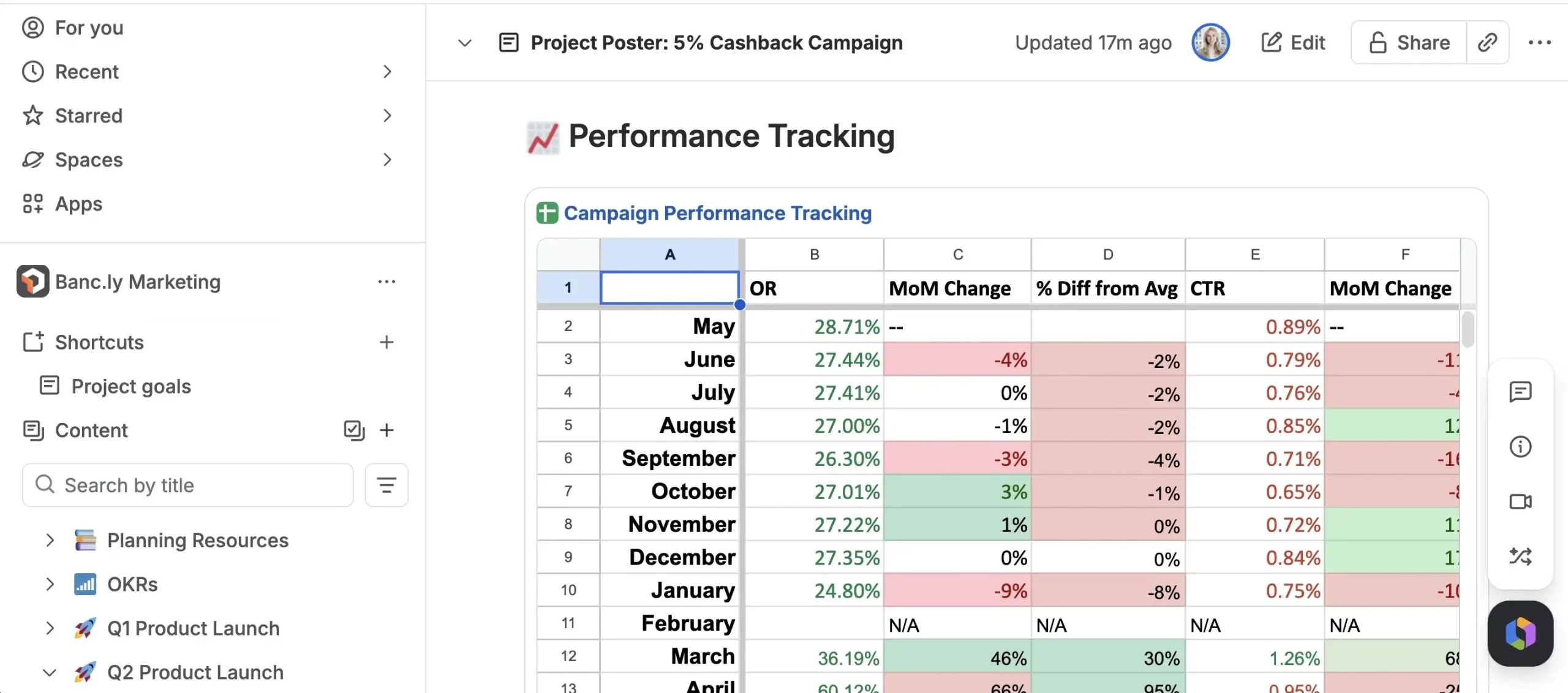
One of Atlassian’s major themes is connecting work across different applications.
Jira can be used alongside Confluence for project documentation, while Loom can be embedded into Jira work items and Confluence pages. Atlassian also offers collections designed to combine several apps under one subscription.
This connected approach can help teams avoid keeping project information, documentation, and communication completely separate.
At the same time, organizations need to plan their setup carefully because different apps have different features, pricing structures, permissions, and administration requirements.
Atlassian Pricing
Atlassian uses different pricing structures depending on the app or collection being used.
Jira currently has a Free plan for up to 10 users, while the Standard plan is listed at $7.91 per user per month and Premium at $14.54 per user per month when billed annually. Enterprise pricing requires contacting sales.
Confluence also offers a Free plan for up to 10 users. Its current Standard plan is listed at $5.42 per user per month and Premium at $10.44 per user per month when billed annually.
The final cost depends on the apps, number of users, billing frequency, and whether a business chooses individual apps or a collection. Atlassian also uses user-based billing for its cloud subscriptions.
Pros and Cons of Atlassian
Pros
- Large ecosystem of business and collaboration apps
- Jira provides detailed project and work management
- Confluence provides centralized documentation and knowledge management
- Loom supports asynchronous video communication
- Rovo adds AI-powered search, chat, and agents
- Strong connections between Jira, Confluence, Loom, and other apps
- Free plans are available for several major apps
- Collections can combine multiple Atlassian apps
Cons
- The large ecosystem can take time to understand
- Pricing varies depending on the apps and number of users
- Using several apps can increase the overall subscription cost
- Advanced features are often reserved for higher-tier plans
- Setting up workflows and permissions can require administration
- Teams may need time to establish a consistent structure across multiple apps
Who Is Atlassian Best For?
Atlassian can be useful for software development teams, product teams, IT departments, business teams, project managers, and organizations that need structured collaboration.
Jira is particularly relevant for teams managing projects and workflows, while Confluence can be used for documentation and shared knowledge. Loom can support asynchronous communication, and Rovo provides AI-powered capabilities across the ecosystem.
Smaller teams can start with free plans, while larger organizations can choose paid plans and collections as their requirements grow.
Is Atlassian Worth It?
Atlassian provides a broad collection of tools rather than trying to solve just one business problem. Jira handles project and work management, Confluence organizes knowledge and documentation, Jira Service Management supports service workflows, Loom adds video communication, and Rovo introduces AI-powered search and agents.
The ability to connect these apps can be useful for organizations that want project information, documentation, communication, and workflows to work together.
However, the size of the ecosystem also means businesses need to decide which apps they actually require. A small team may only need Jira or Confluence, while a larger organization could benefit from combining several apps.
The availability of free plans also allows teams to explore some of the core functionality before moving to paid plans.
Final Verdict
Atlassian has built a broad software ecosystem for teams that need structured ways to plan work, manage projects, document knowledge, communicate, and support customers or employees.
Its combination of Jira, Confluence, Jira Service Management, Loom, Rovo, Trello, Bitbucket, and other apps gives organizations multiple ways to build a connected work environment.
The main consideration is the complexity that can come with having many applications and pricing options. Teams should evaluate which apps fit their workflows rather than adopting the entire ecosystem by default.
For organizations looking for connected tools for project management, documentation, communication, and team collaboration, Atlassian is worth considering.