
Creating professional videos usually requires a combination of editing skills, stock footage, voiceovers, music, visual assets, and plenty of time. InVideo brings many of these tasks together in one online video creation platform, with AI-powered tools designed to help users turn ideas, scripts, and prompts into finished videos.
The platform has evolved beyond a traditional template-based editor. Its current AI workflow uses agents and multiple AI models to help with scripting, storyboarding, media generation, editing, voiceovers, and other parts of video production.
What Is InVideo?

InVideo is an AI-powered video creation and editing platform designed for creators, marketers, businesses, filmmakers, and social media teams.
Users can describe what they want to create using natural-language prompts, and InVideo can help build the project around that idea. Its AI filmmaking workflow can handle tasks such as writing, creating scenes, generating media, arranging shots, and producing an editable timeline.
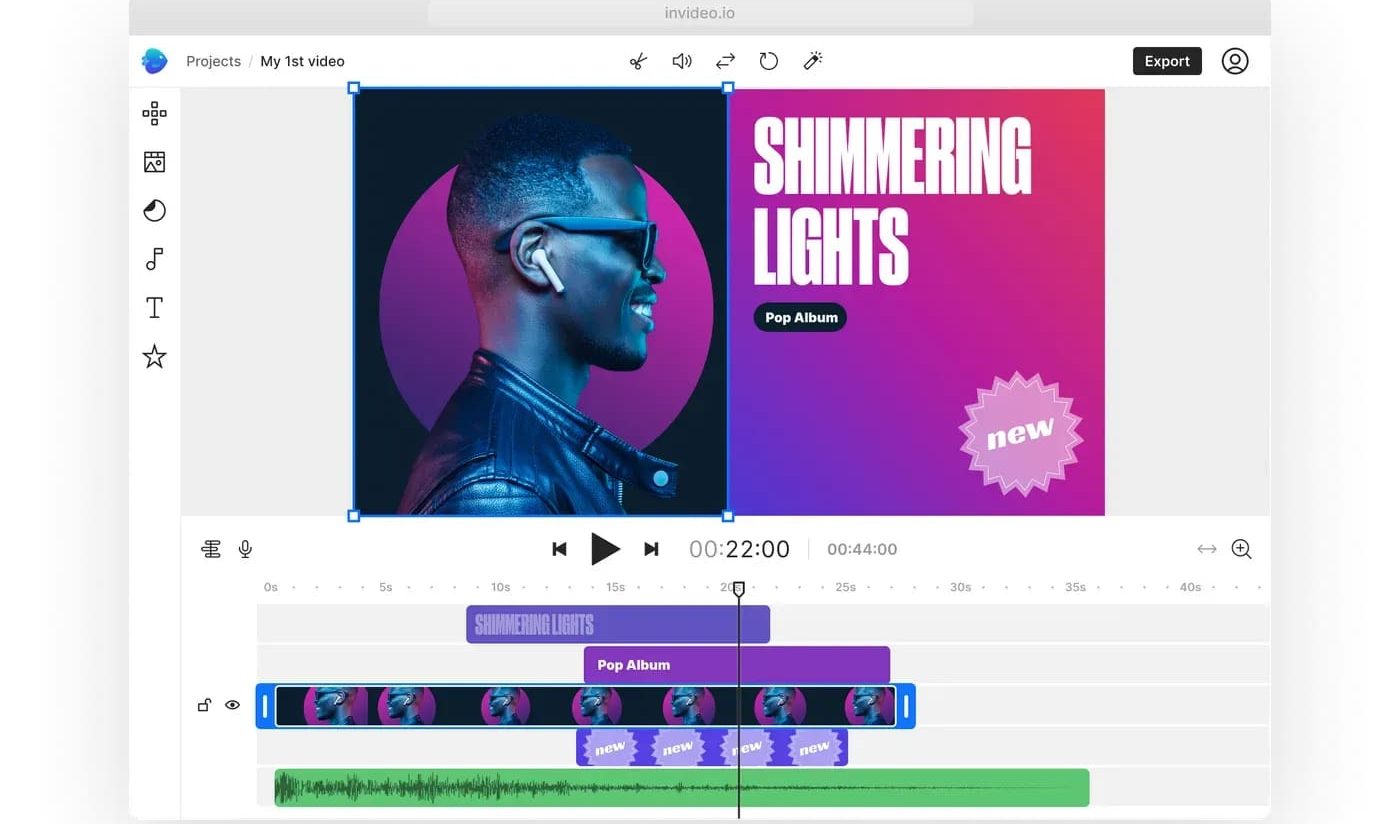
The platform also provides traditional timeline editing tools, allowing users to manually adjust their projects after AI generation.
AI Video Generation
One of InVideo’s main features is AI video generation.
Users can start with a simple description and generate video content without needing to shoot every scene themselves. The platform supports different AI video models, allowing creators to work with different visual styles, quality levels, and generation capabilities.
Text-to-video tools can be used for cinematic clips, social media videos, advertisements, product content, explainers, and other creative projects.
InVideo also supports image-to-video workflows, allowing an existing image to be used as the starting point for an animated video.
AI Agents for Video Creation
InVideo’s current approach places considerable emphasis on AI agents.
Instead of simply generating one short clip from a prompt, the platform can work through a broader production process. Users can provide a script, concept, or creative brief, and the AI can help develop the project into multiple scenes.
The agent can work across different stages of production, including visual generation, voice, music, editing, and scene organization.
This can be useful for users who want to describe the result they need rather than manually build every part of a project from scratch.
AI Video Editing
InVideo is not limited to generating new videos.
Its editing tools allow users to upload footage and work with a traditional timeline. Manual editing can include arranging clips, trimming footage, adjusting picture and sound, and refining the final sequence.
The AI editing workflow can also help analyze footage and perform editing tasks based on natural-language instructions.
This combination of AI-assisted editing and manual timeline control gives creators more flexibility than using an AI generator alone.
Text-to-Video and Creative Tools
InVideo can turn scripts, documents, or prompts into video projects.
Depending on the selected workflow, AI can assist with scenes, visuals, voiceovers, music, and editing. The platform also provides access to multiple models for generating different types of media.
For marketers, this can be useful for creating advertisements, promotional videos, product content, and social media campaigns. Creators can also use it for storytelling, educational videos, and short-form content.
AI Voiceovers, Music and Visuals
Video production often involves more than visuals, which is why InVideo also brings audio creation into its workflow.
AI-assisted production can include voiceovers and music alongside generated video clips. This means users can develop several parts of a video project within the same workspace rather than moving between multiple specialized tools.
The platform’s AI workflows can combine video, voice, and music generation in a single production process.
Multiple AI Models
Another notable part of InVideo is its access to multiple AI models.
The platform currently states that users can access more than 200 AI models for video, image, and audio generation. Model availability and credit costs can vary depending on the selected plan, model, resolution, and generation requirements.
This gives creators the option to experiment with different models rather than relying on one generation system for every project.
InVideo Pricing
InVideo currently uses a credit-based system for many of its AI features.
The free plan allows users to explore the platform with limited credits and does not require a credit card. Paid plans provide larger credit allocations and additional access to models and features.
Current annual-billing examples include the Starter plan at $20 per seat per month with 400 credits, Plus at $50 per seat per month with 2,000 credits, and Max at $100 per seat per month with 5,000 credits.
Credit usage varies depending on the model and generation. AI-agent requests can also consume credits based on the work performed and the models used.
Because model availability, credit costs, and plan features can change, users should check the current plan details before subscribing.
Pros and Cons of InVideo
Pros
- AI can assist with multiple stages of video production.
- Supports text-to-video and image-to-video workflows.
- Provides access to a large selection of AI models.
- Combines AI generation with a traditional timeline editor.
- Useful for social media, marketing, advertising, and creative projects.
- AI workflows can include video, voice, music, and editing.
- Free access is available for testing the platform.
Cons
- AI generations consume credits.
- Different AI models can have different credit costs.
- Higher-quality and advanced models may require higher-tier plans.
- Users producing a large volume of AI videos can use credits quickly.
- Results may still require manual editing and refinement.
Who Is InVideo Best For?
InVideo can be useful for creators who regularly need video content but do not want to handle every production step manually.
Social media creators can use it for short-form content, while marketers can create advertisements, promotional videos, and product campaigns. Businesses can also use the platform for explainers, training content, and branded videos.
It may also be useful for filmmakers and creative professionals who want to use AI for previsualization, scene creation, or faster editing workflows.
Is InVideo Worth It?

InVideo offers more than a basic AI video generator. Its combination of AI agents, multiple generation models, text-to-video tools, audio generation, and timeline editing makes it a broader video-production platform.
The main consideration is its credit system. Users creating videos frequently or experimenting heavily with premium models need to pay attention to credit consumption.
For someone who only wants to create occasional videos, the free option provides a way to test the platform before committing to a paid plan. For regular creators, marketers, and businesses, the paid plans provide substantially more credits and access to additional capabilities.
Final Verdict
InVideo combines AI video generation with editing and broader content-production capabilities in one platform. Its AI agents can help move projects from an initial idea toward scripts, scenes, generated media, audio, and an editable timeline, while users can still make manual changes when needed.
The availability of numerous AI models is another major part of the platform, particularly for creators who want to experiment with different generation technologies.
The credit-based pricing model is something users should consider before choosing a plan, especially if they create videos frequently.
Overall, InVideo is worth considering for creators, marketers, businesses, and other users who want an AI-assisted video workflow that goes beyond simple text-to-video generation.