
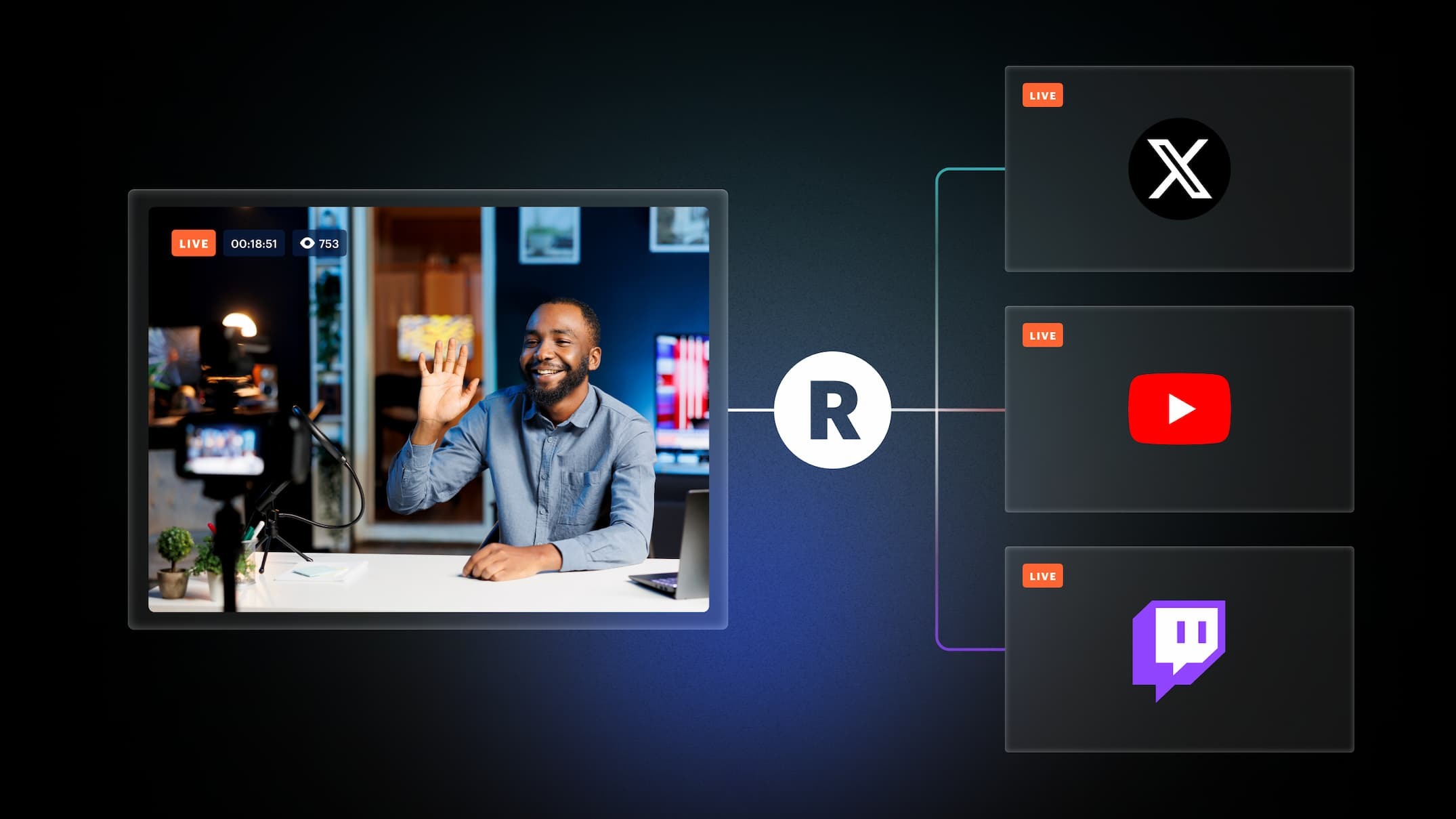
Live streaming on multiple platforms can become difficult when creators have to manage separate streaming setups, chats, analytics, and audiences. Restream is designed to simplify this process by allowing users to broadcast one live stream to multiple platforms while managing audience interaction and stream performance from one place.
The platform supports multistreaming, browser-based streaming, streaming software integrations, live chat, analytics, cloud recordings, pre-recorded broadcasts, and tools for teams. Restream currently supports more than 30 streaming destinations, including major platforms such as YouTube, Facebook, LinkedIn, TikTok, and Twitch.
But is Restream worth using for creators, businesses, gamers, or event organizers? Let’s take a closer look.
About Restream

Restream is a live video platform built around multistreaming. The company says it was founded in 2015 in Ukraine and originally focused on helping creators reach wider audiences by broadcasting to multiple platforms at the same time. It now provides tools for creators, businesses, marketers, event producers, gamers, artists, and other organizations.
Instead of creating separate broadcasts for every social platform, users can connect their accounts to Restream and distribute one stream to several destinations.
The platform can also work with existing streaming software such as OBS, allowing users to keep their preferred streaming setup while using Restream to handle distribution.
What Does Restream Offer?
Restream has expanded beyond basic multistreaming and now provides several tools for creating, distributing, and managing live video.
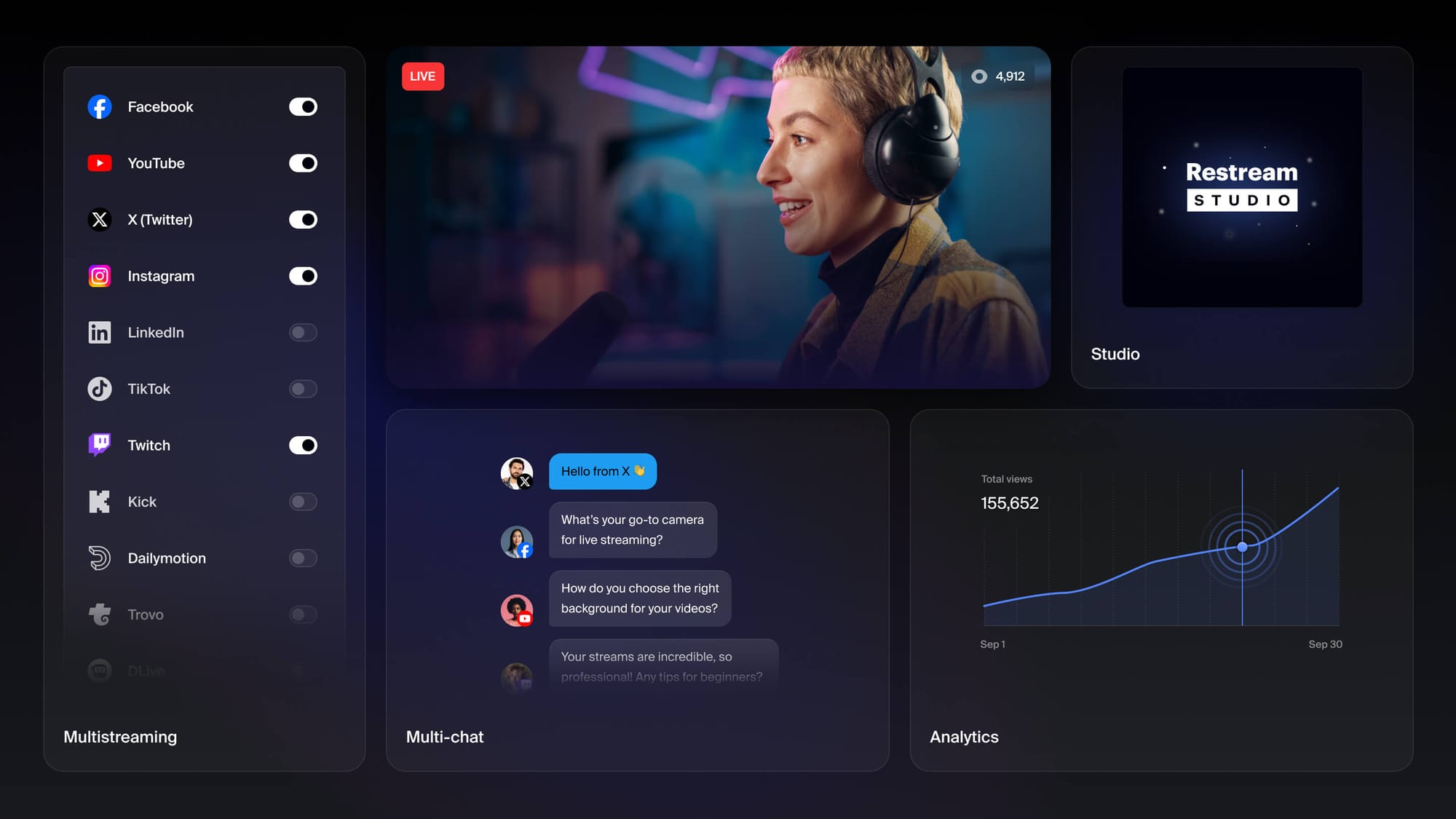
Multistreaming
Multistreaming is the central feature of Restream.
A creator can send a single live video to multiple platforms simultaneously instead of running separate broadcasts for each service. Restream currently promotes support for more than 30 social platforms and destinations.
Supported destinations include platforms such as YouTube, Facebook, LinkedIn, TikTok, and Twitch. Users can also connect multiple channels from the same platform in supported situations.
Restream handles the distribution, meaning creators do not have to maintain separate streaming connections for every destination.
This can be useful for creators who already have audiences spread across several platforms.
Restream Studio
Restream Studio provides a browser-based way to create and broadcast live streams.
Users can access their camera and microphone, create scenes, add graphics, invite guests, and start streaming without needing specialized broadcasting hardware.
Studio also supports branding features such as overlays, backgrounds, lower-thirds, QR codes, scrolling tickers, and customizable layouts.
For creators who do not want to configure complicated streaming software, having the production tools inside a browser can make the setup more straightforward.
Paid plans provide additional Studio capabilities, including higher video quality and more participants depending on the selected plan.
Cross-Platform Chat
Managing comments across multiple platforms can become challenging during a live event.
Restream’s Chat feature brings messages from connected streaming platforms into one interface. This allows creators to monitor and respond to viewers without repeatedly switching between different browser tabs.
Chat can also be displayed as an overlay during a broadcast. The platform provides customizable themes and options for displaying audience conversations directly within a stream.
For creators who regularly receive viewers from several platforms, having a unified chat window can make audience management easier.
Stream Analytics
Restream provides analytics that help creators understand how their broadcasts perform across connected channels.
Depending on the setup and available integrations, users can review metrics such as views, chats, followers, and other audience information.
Having these numbers in one place can be useful when comparing performance between different streaming platforms.
Creators can use the information to identify which channels generate more engagement and understand how audiences respond to their content.
Recording and Cloud Storage
Restream also supports recording live streams and saving them online.
Cloud recordings can be accessed after a broadcast and downloaded for future use. This makes it possible to repurpose a livestream into other forms of content rather than allowing the recording to remain unused after the event.
Recording availability and storage limits depend on the plan.
Restream also introduced the ability to record without going live, allowing users to create recordings directly from Studio for testing, podcasts, or content that will be edited later.
Upload & Stream
One of Restream’s useful features is Upload & Stream, which allows creators to broadcast pre-recorded videos as scheduled live events.
Users can upload recorded videos, schedule them for a specific time, and present them as live streams to their audiences. Multiple files can also be arranged into playlists, with looping available for certain use cases.
This can be useful for webinars, presentations, product events, or other situations where creators want a planned broadcast without being physically present for the entire stream.
OBS and Other Streaming Software
Restream does not require users to abandon their existing streaming software.
The platform can connect with encoders and tools such as OBS, allowing creators to continue using their preferred cameras, scenes, overlays, and production setup while Restream handles distribution to multiple platforms.
This makes Restream suitable for both simple browser-based broadcasts and more advanced production workflows.
Custom RTMP destinations are also supported, allowing users to connect platforms that provide an RTMP URL and stream key.
Website Streaming
Restream can also be used to display live streams directly on a website through its Website Player.
The feature allows businesses and creators to embed a live video player into supported websites. The Business plan currently supports up to 1,000 concurrent viewers through the website player, while larger requirements can be handled through custom plans.
This can be useful for businesses that want viewers to watch an event without sending them to a separate social media platform.
Restream Pricing
Restream offers a Free plan as well as paid Standard, Professional, and Business plans, with Enterprise options available for larger organizations.
The current pricing page lists the Free plan at $0 and allows streaming to two channels. The Standard plan is listed at $19 per month, Professional at $49 per month, and Business at $239 per month when viewing the monthly pricing shown on the current page. Annual billing has different effective pricing.
The paid plans increase the number of simultaneous channels and add features such as removing Restream branding, additional guests, Full HD streaming, cloud recordings, team features, and other advanced capabilities.
Because Restream updates its plans and limits, the exact price and included features should be checked before subscribing.
Free Plan
Restream’s Free plan gives users a way to test the platform without paying for a subscription.
The current free offering supports multistreaming to two channels, browser-based HD streaming through Restream Studio, up to five guests, third-party streaming software, multi-chat, analytics, and scheduled streams. Free broadcasts include Restream branding.
For someone just starting with multistreaming, this provides a relatively simple way to test the workflow before upgrading.
Pros and Cons of Restream
Pros
- Multistream to 30+ destinations
- Browser-based Restream Studio
- Works with streaming software such as OBS
- Unified cross-platform chat
- Stream analytics
- Cloud recording capabilities
- Pre-recorded live broadcasts
- Custom RTMP destinations
- Website streaming option
- Guest and collaboration features
- Free plan available
- Useful branding and overlay tools
Cons
- Free streams include Restream branding
- More than two simultaneous channels requires a paid plan
- Advanced features are limited to higher-tier plans
- Professional streaming features can become expensive for larger teams
- Some recording and storage features require paid plans
- Website Player is restricted to Business and custom Enterprise plans
- Users may still need separate accounts on the platforms they stream to
Who Is Restream Best For?
Restream can be useful for creators who regularly broadcast to more than one platform.
YouTubers, Twitch streamers, gamers, podcasters, businesses, educators, event organizers, and marketing teams can use the platform to distribute live content across multiple destinations.
It can also suit creators who already use OBS or another encoder and want to add multistreaming without completely changing their existing setup.
Businesses may find features such as team collaboration, analytics, website streaming, and branded broadcasts useful for webinars, product events, conferences, and other professional broadcasts.
Is Restream Worth It?
Restream brings several parts of the live-streaming workflow into one platform. Its biggest focus remains multistreaming, but the service also includes Studio, unified chat, analytics, recording, scheduling, website streaming, and team-oriented tools.
The free plan provides a way to test the core workflow, while paid plans expand the number of destinations and unlock additional production and collaboration features.
The main consideration is how many channels and advanced features you actually need. Someone who only streams occasionally to one or two platforms may not need a paid subscription, while creators and businesses broadcasting regularly across several platforms may benefit from the additional capabilities.
Final Verdict
Restream is built around a straightforward idea: create one live stream and distribute it across multiple destinations.
Its combination of multistreaming, Restream Studio, cross-platform chat, analytics, recordings, Upload & Stream, OBS integration, and website streaming gives creators several tools for managing live video from one platform.
The Free plan makes it possible to test the service with two channels, while higher plans provide more channels and advanced production features. The biggest factor to consider is whether those additional capabilities justify the subscription cost for your particular streaming workflow.
For creators, businesses, and teams that want to reach multiple platforms without maintaining separate live-streaming setups, Restream is worth considering.